Estate Inventory
Most organisations cannot answer a simple question: what does our DNS actually point at? DNS Watchdog answers it continuously, across every provider you use.
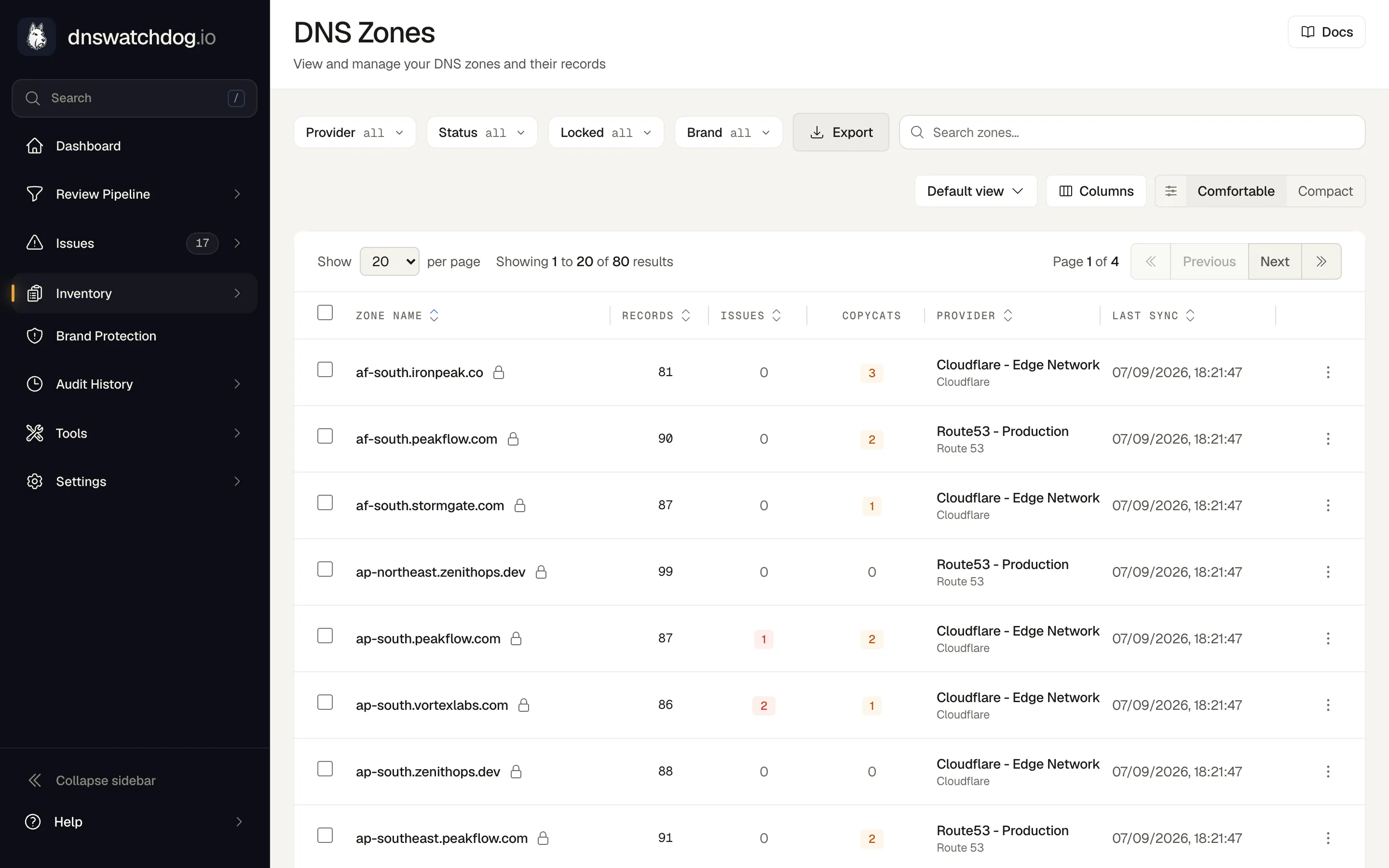
DNS estates sprawl. Different teams use different providers, acquisitions bring their own zones, and the only complete picture lives across half a dozen consoles with half a dozen logins. Native integrations with Route 53, Cloudflare, Azure DNS, Google Cloud DNS, CSC, and UltraDNS sync your zones, records, IPs, certificates, and web forwards into a single searchable inventory: the source of truth for investigations, migrations, and audits.
The inventory is more than a mirror of your zone files. Resolved IP addresses are deduplicated across the estate and enriched with ISP and geolocation data, so one address shared by twenty records appears once with all of them attached. Certificates are deduplicated by fingerprint, so a wildcard certificate shows up once with every record serving it. Daily screenshots show what each web host actually serves, and notes let your team attach context to any asset.
Connecting a provider takes minutes and the access is deliberately minimal: Route 53 uses cross-account role assumption with an external ID rather than long-lived keys, Cloudflare uses a scoped read-only API token, and every provider has a step-by-step guide with copy-pasteable policies. Zone discovery typically completes within a couple of minutes of connecting, and from then on the inventory maintains itself, re-synced every day.
How it works
- ConnectAdd a provider with scoped, read-only credentials. Step-by-step guides with ready-made policies cover all six supported providers.
- DiscoverZone discovery kicks off immediately and typically completes within a couple of minutes, pulling every zone and record the credentials can see.
- SyncDaily scans keep the inventory current across all providers at once, catching everything added, changed, or removed since yesterday.
- EnrichRecords are resolved to deduplicated IPs with ISP and geolocation data; certificates are discovered and deduplicated by fingerprint; web hosts are screenshotted daily.
- InvestigateSearch across the whole estate by name, record, IP, or certificate, and pivot between assets with notes and history attached.
What you get
- One inventory across Route 53, Cloudflare, Azure DNS, Google Cloud DNS, CSC, and UltraDNS
- Zones, records, resolved IPs, certificates, forwards, and screenshots
- IPs deduplicated and enriched with ISP and geolocation data
- Certificates deduplicated by fingerprint, linked to every record serving them
- Read-only, scoped credentials, with per-provider setup guides
- Team notes to attach context to any asset across the estate
Why it matters
One source of truth
Investigations stop being a tour of provider consoles. One search answers 'what points at this IP?' or 'where is this hostname defined?' across your whole estate.
The foundation everything else stands on
Scanning, screenshots, grading, and change tracking all run from the inventory, so complete coverage there means complete coverage everywhere.
Read-only access
Scoped, read-only credentials (role assumption with an external ID on AWS, narrow API tokens elsewhere) mean DNS Watchdog can read your estate but never change it. Connecting it creates no new way to break your DNS.
Audit questions, answered quickly
When a due-diligence questionnaire or auditor asks what your DNS exposes, the answer is a live, searchable inventory rather than a stale export.
FAQ
What access does DNS Watchdog need to my providers?
Read-only access is all DNS Watchdog needs. On Route 53 that means assuming a role you control, protected by an external ID, with no long-lived keys exchanged; on Cloudflare, a token scoped to zone and DNS reads. Each provider has a step-by-step guide with copy-pasteable policies, so the credential you create is exactly as narrow as it should be.
We use several DNS providers. Is that a problem?
It is the expected case. All six supported providers sync into the same inventory, so a mixed estate (Route 53 for production, Cloudflare for marketing, CSC for the brand portfolio) appears as one searchable whole.
What happens when records are deleted?
Deletions made at your provider are detected on the next scan and captured in the change log, with the record's last-known details recorded, so 'what was there and when did it go?' stays answerable.